Master Public Speaking in Your Browser — No Headset Required
Face a lifelike virtual audience — safely, again and again — until the fear stops running the show. AI reads your eye contact, filler words, and pacing in real-time, all from your browser. No headset required.
Start Free — No Credit Card Required
3 free sessions • No download • Real confidence gains
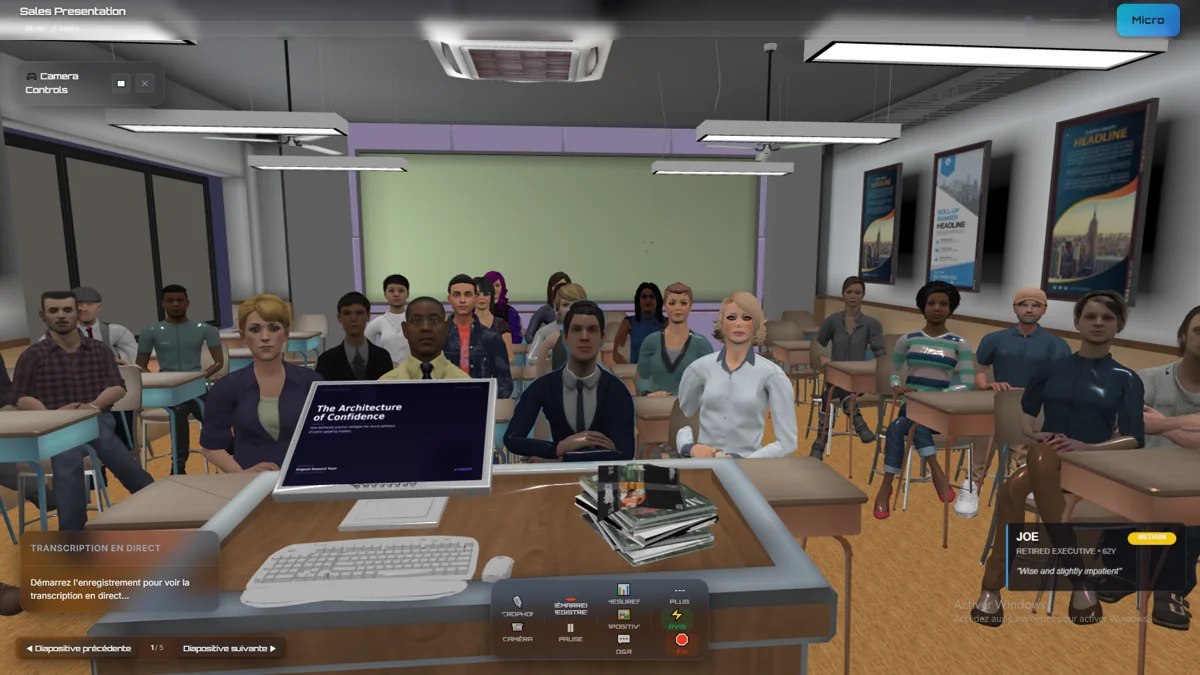
Why Stageum Wins
| Feature | Stageum | VR Headset Apps |
|---|---|---|
| Setup Time | 10 seconds — no install | 30+ min hardware setup |
| Hardware Required | Any browser (Chrome, Safari, Firefox, Edge) | $300+ VR headset + compatible PC |
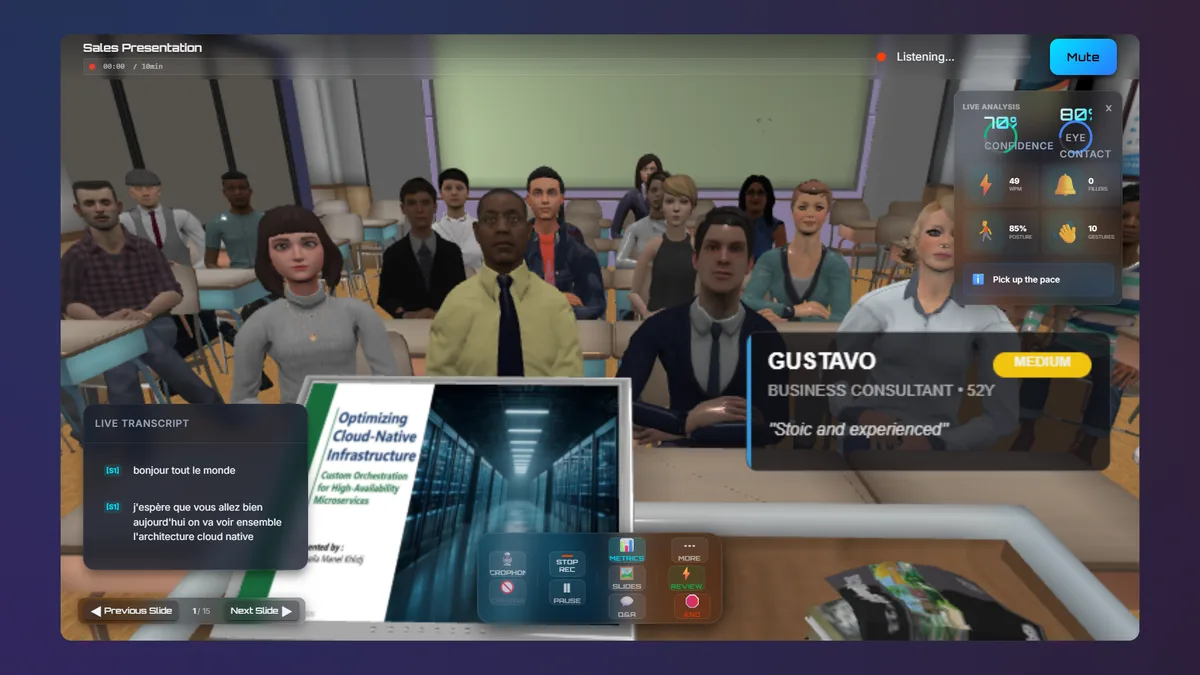
| AI Feedback | Real-time: filler words, pacing, eye contact, gestures | Basic session recording only |
| Training Environments | Boardroom, Auditorium, Classroom, TV Studio, Courtroom | Limited virtual rooms |
| Progress Tracking | Detailed metrics, session history, improvement trends | Minimal or absent |
| Price | Free tier available. Pro from $10/mo | $30-50/mo + $300+ hardware |
Everything You Need to Master Public Speaking
Zero Setup
Practice in 10 seconds from any modern browser. No downloads, no installations, no headset.
AI-Powered Feedback
Real-time analysis of filler words, speaking pace, eye contact, body language, and vocal variety.
3D Environments
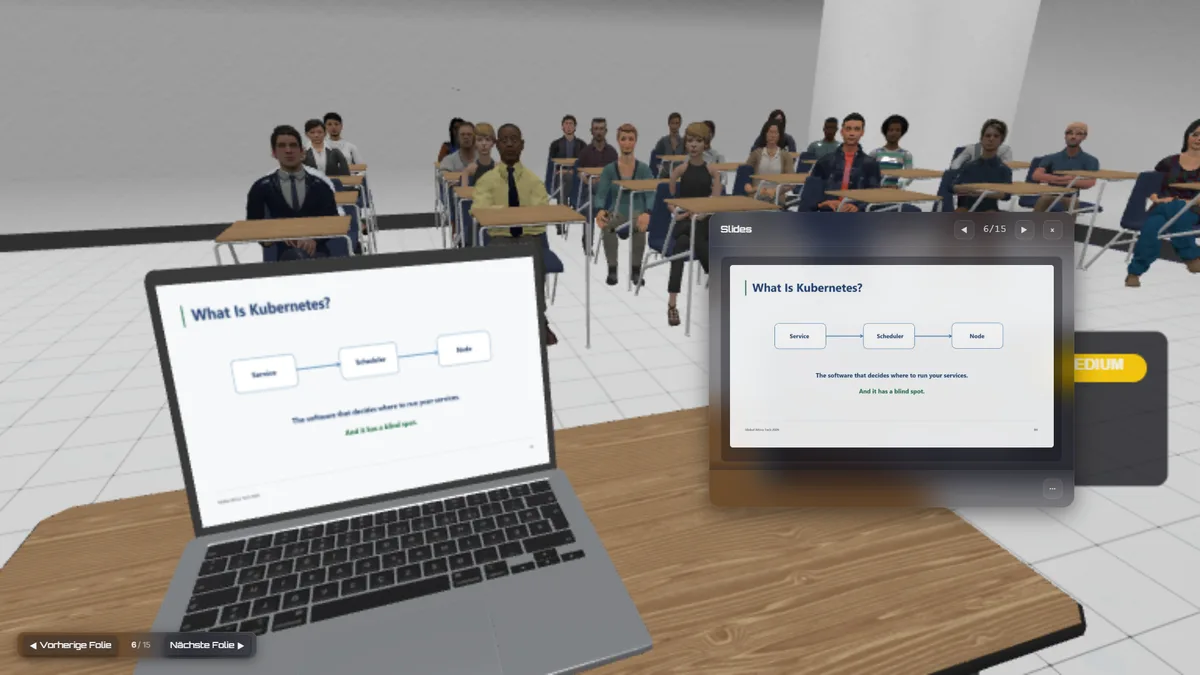
Practice in richly detailed boardrooms, auditoriums, classrooms, TV studios, and courtrooms.
Virtual Audiences
Customizable audience personas with different sizes, demographics, and behavioral reactions.
Progress Tracking
Session history with detailed metrics on filler words, pace trends, and confidence scoring.
Privacy First
Real-time analysis runs on your device. Recordings are encrypted and stored securely in the cloud.
What Our Users Say
"Stageum transformed my presentation skills in just 2 weeks. The AI feedback on filler words and pacing is incredibly accurate."
Marcus Chen
CEO, StartupXYZ
"The filler word detection alone was worth it. I went from saying 'um' every 10 seconds to a polished, confident speaker."
Dr. Emily Chen
Research Scientist, MIT
"As a sales leader, I've seen my team's close rates improve measurably after using Stageum for pitch practice."
Sarah Rodriguez
VP of Sales, TechGrowth Inc.
Frequently Asked Questions
Do I need a headset to use Stageum?
No. Stageum works in any modern browser (Chrome, Safari, Firefox, Edge) with no headset required.
How does the AI feedback work?
Stageum uses your webcam and microphone to analyze your speech patterns (filler words, pacing, volume), body language (posture, gestures), and eye contact. Real-time analysis runs on your device; recorded sessions are encrypted and stored in the cloud for progress tracking.
Is my practice data private?
Your webcam feed is analyzed on your device during practice. Recordings are uploaded to encrypted cloud storage so you can review past sessions and track improvement over time. Your raw files are never used for model training.
Can I try Stageum for free?
Yes. The free tier includes 3 practice sessions per month with basic AI feedback. No credit card required.
What environments are available?
Five richly detailed 3D environments: Boardroom, Auditorium, Classroom, TV Studio, and Courtroom. Each with adjustable audience size and layout.
How long does a practice session take?
Sessions are flexible. Practice from 1 to 60 minutes. Extended recording up to 60 minutes is available on the Pro plan.
Is Stageum a form of exposure therapy for public speaking anxiety?
Stageum is built on the same principle as exposure therapy: safe, repeated practice in a controlled environment reduces the fear response over time. By presenting to a virtual audience with AI-powered feedback, you build confidence through gradual desensitization. Stageum is not a licensed clinical therapy service and is not intended to replace professional mental health treatment. If public speaking anxiety is significantly affecting your life, we'd encourage talking to a licensed therapist alongside — or instead of — using Stageum.
Start Free — No Credit Card Required
3 free sessions · No credit card · Real confidence gains